
Your repertoire in your pocket,your stage in sync.
Reperto is a digital songbook and live stage tool for musicians: chords, lyrics, setlists — and instant synchronized song switching across your band. No internet, no account, no ads.
LIVE STAGE MODE
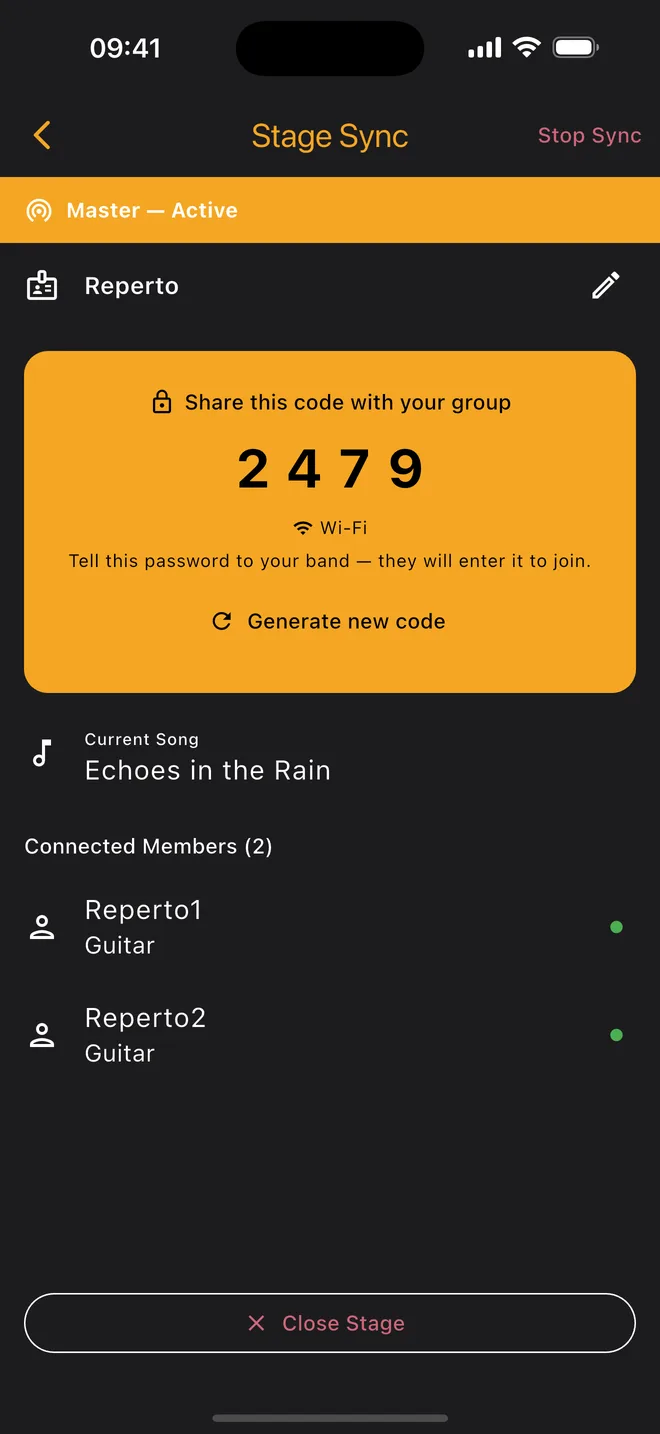
The leader switches the song, the whole stage follows instantly.
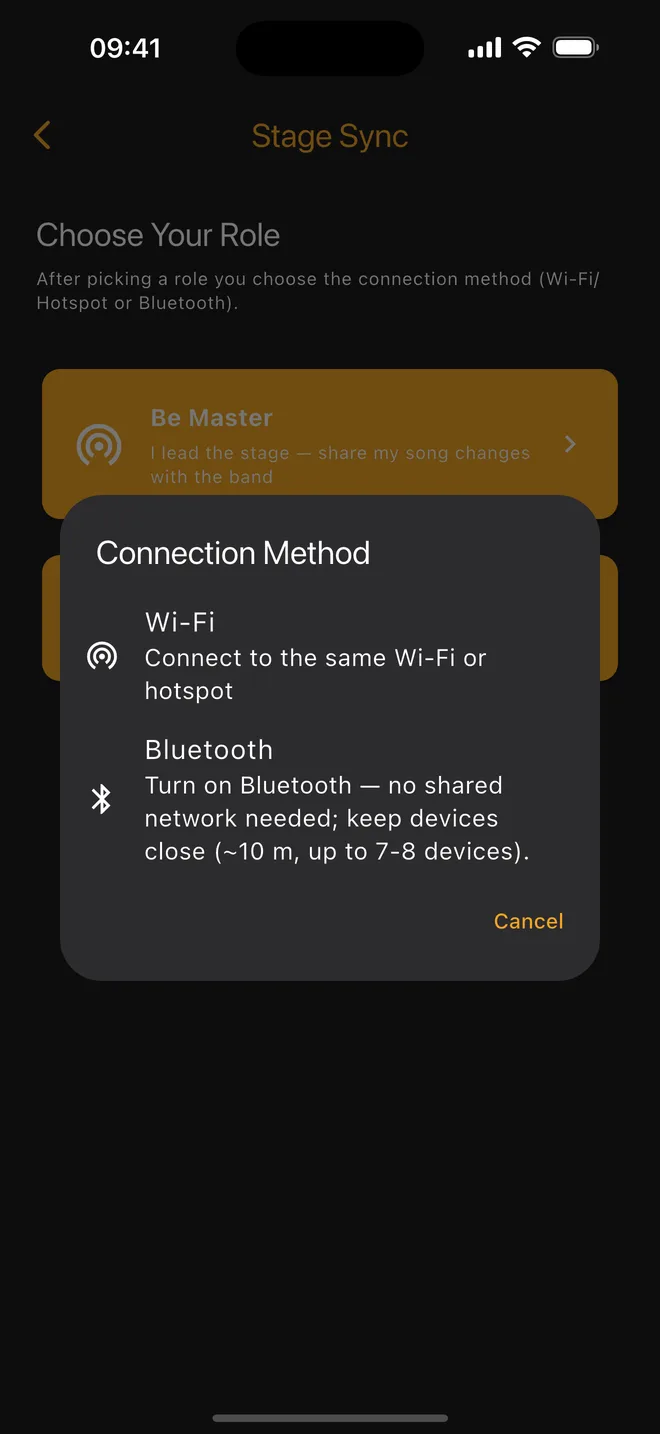
One device runs the stage (Master), the others follow. Works over Wi-Fi (local network) or Bluetooth — even with zero internet at the venue.
Guide →Works offline
Wedding hall, street, basement: a local Wi-Fi network or Bluetooth is all you need. No cloud, no account, no cell coverage.
Sub-second switching
A compact binary protocol makes song changes land on every device almost instantly — no waiting on stage.
4-digit stage code
Your stage is protected by a code; the band next door can never accidentally join your repertoire.
Self-healing connections
Automatic reconnection: if a link drops, devices quietly come back and the current song is delivered instantly.
FROM THE APP
Tune up, pick your songs, take the stage.
TOUR
Watch Reperto in 2 minutes.
Chord sheets, setlists, a tuner and stage sync — the whole app in one video. Near the end it's real footage: four devices, one tap from the leader, every screen switches at once.
FEATURES
Everything from rehearsal notebook to stage rig.
Chord-aware song editor
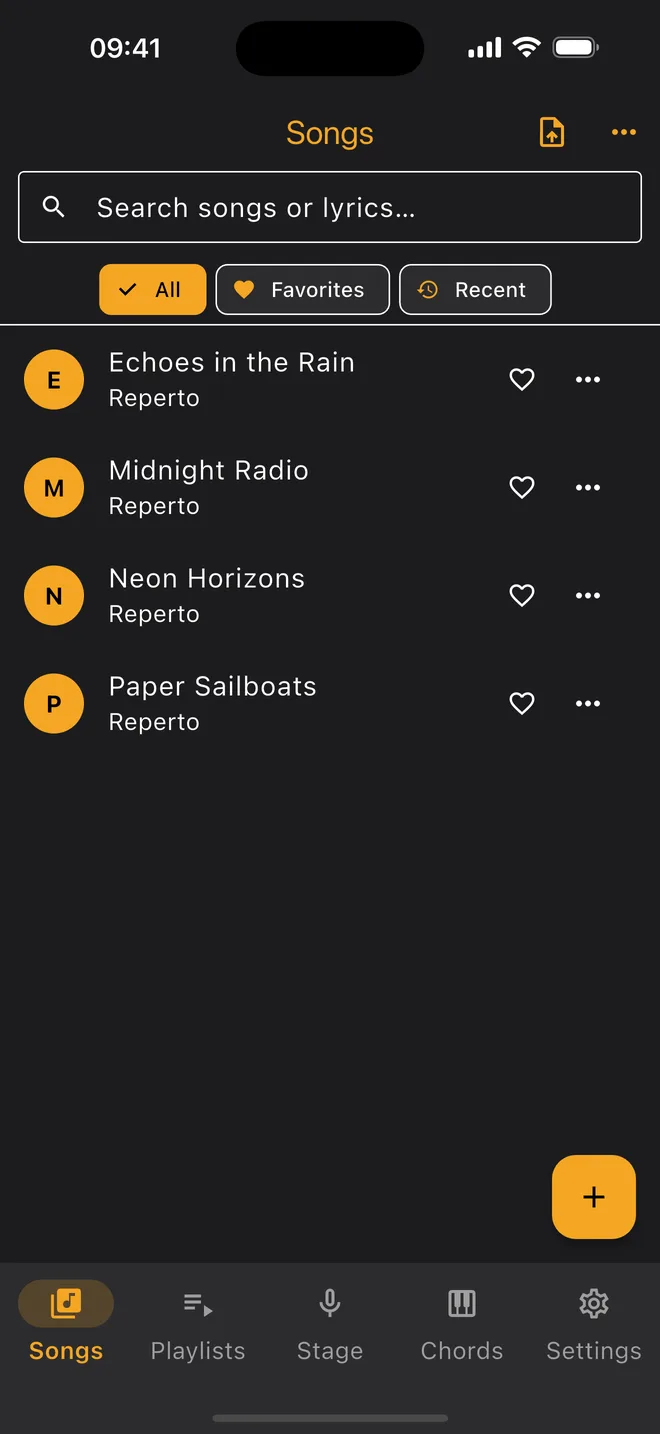
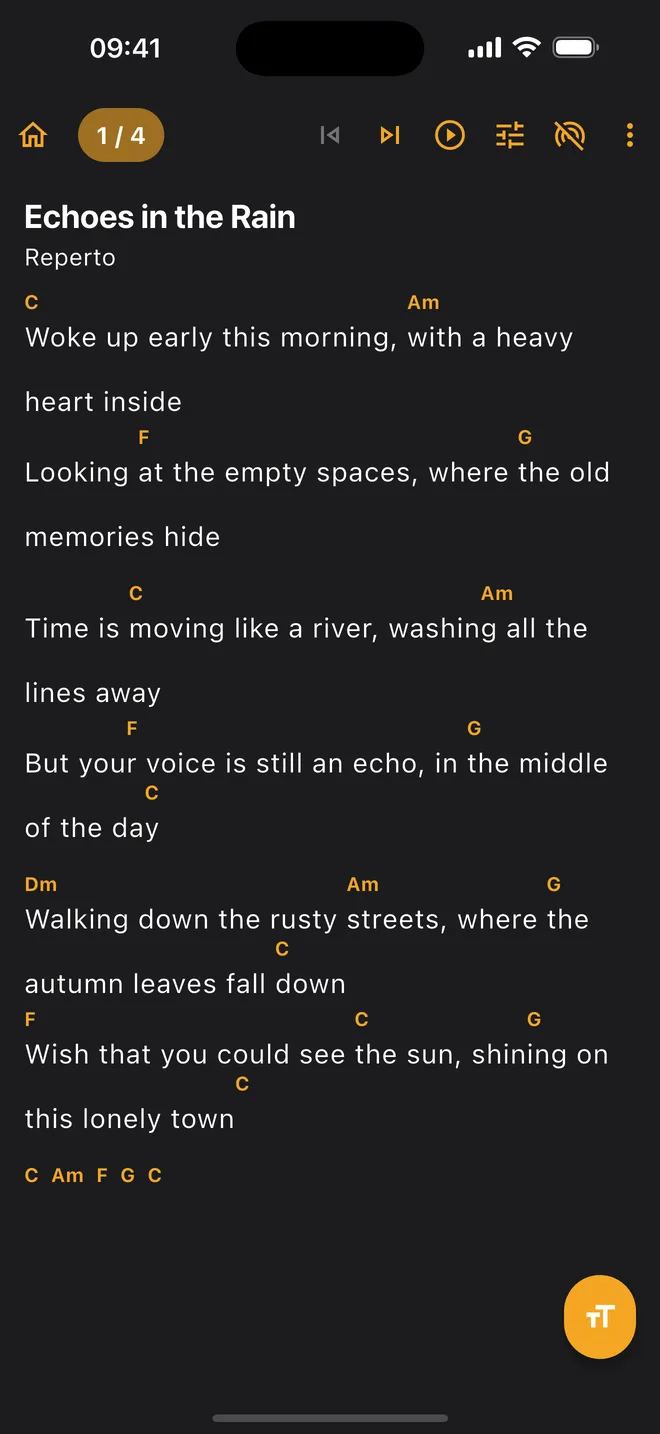
Import ChordPro and OnSong, edit chords and lyrics together, play with chords rendered above each line.
Instant transpose & capo
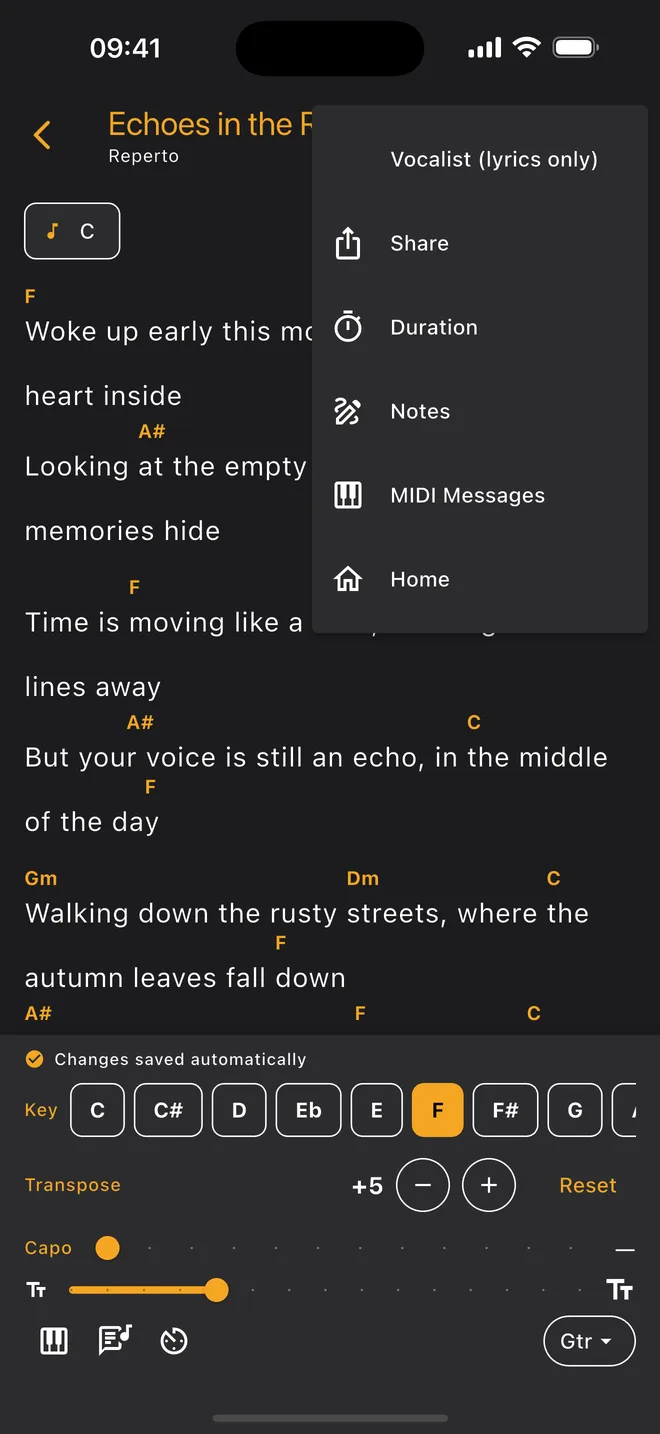
Move a whole song to any key in one tap — slash chords and enharmonic spellings handled correctly.
Tuner, metronome, MIDI
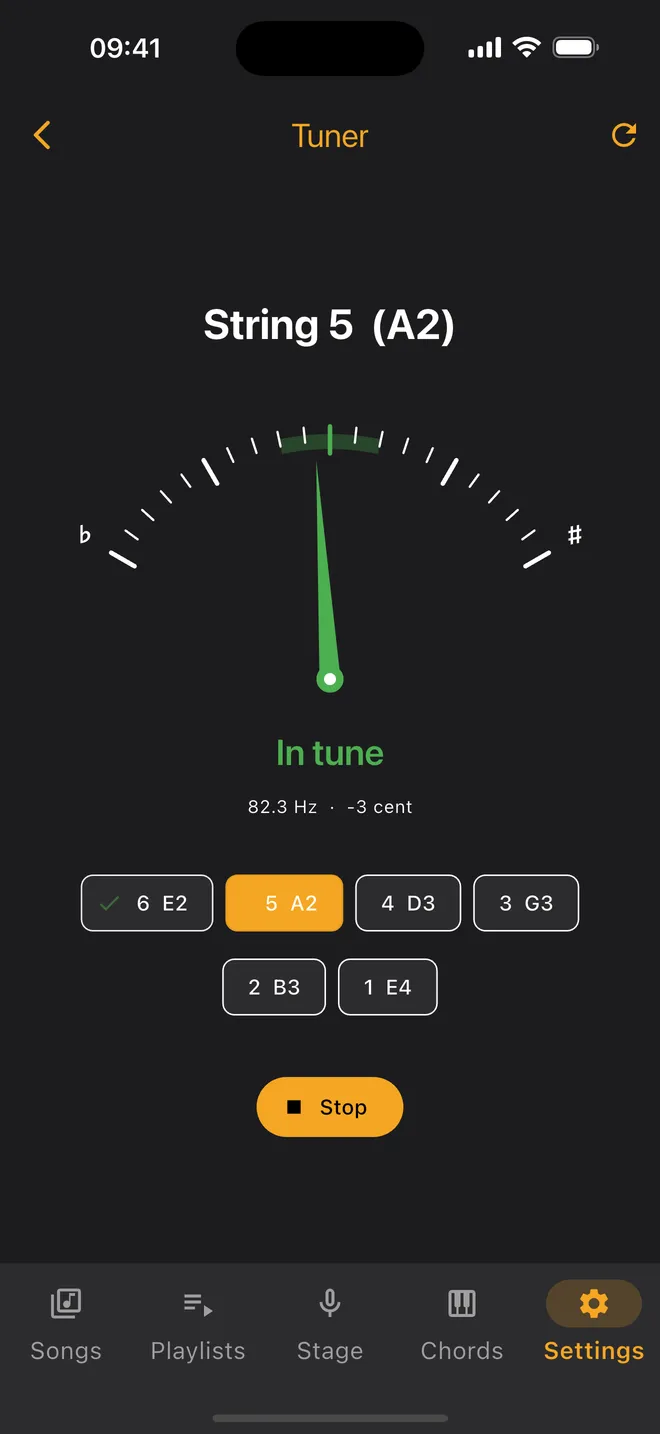
The guided tuner walks you string by string and moves on by itself once a string is in tune; metronome and MIDI are built in too.
Setlist management
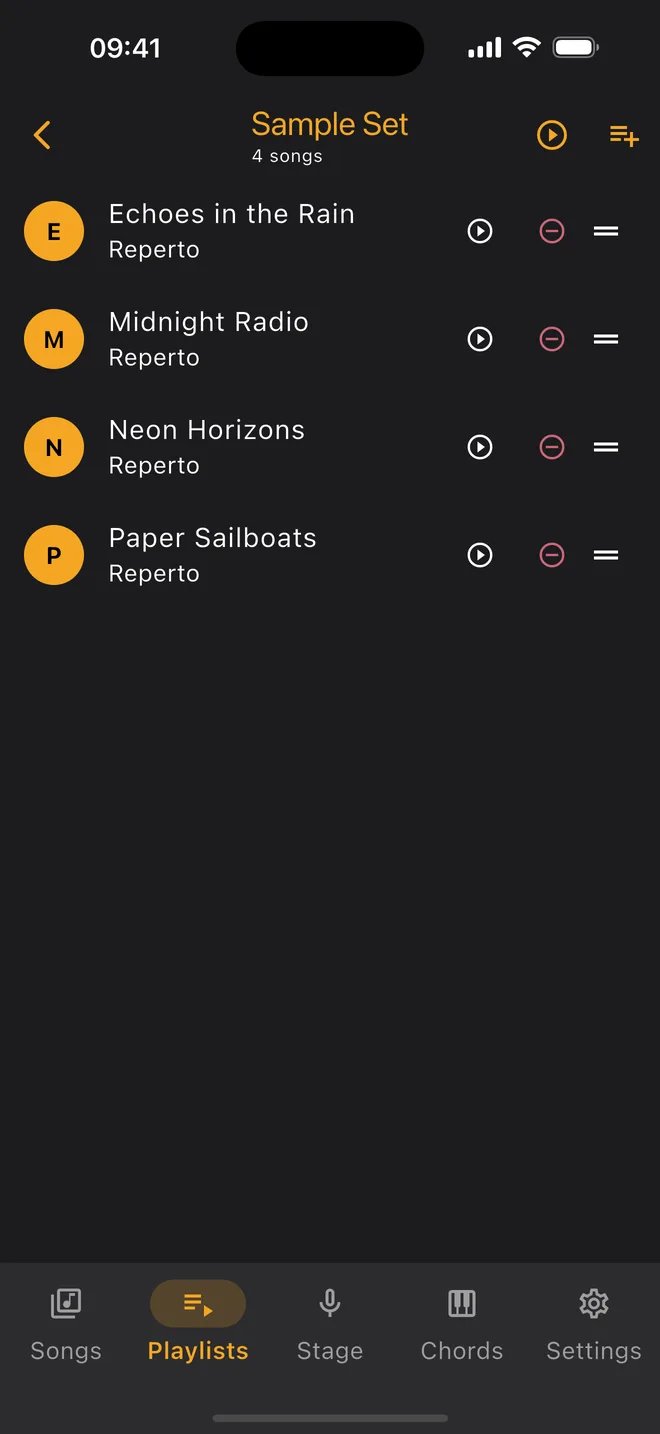
Organize songs into playlists in stage order; stage mode starts right from your setlist.
Vocalist mode
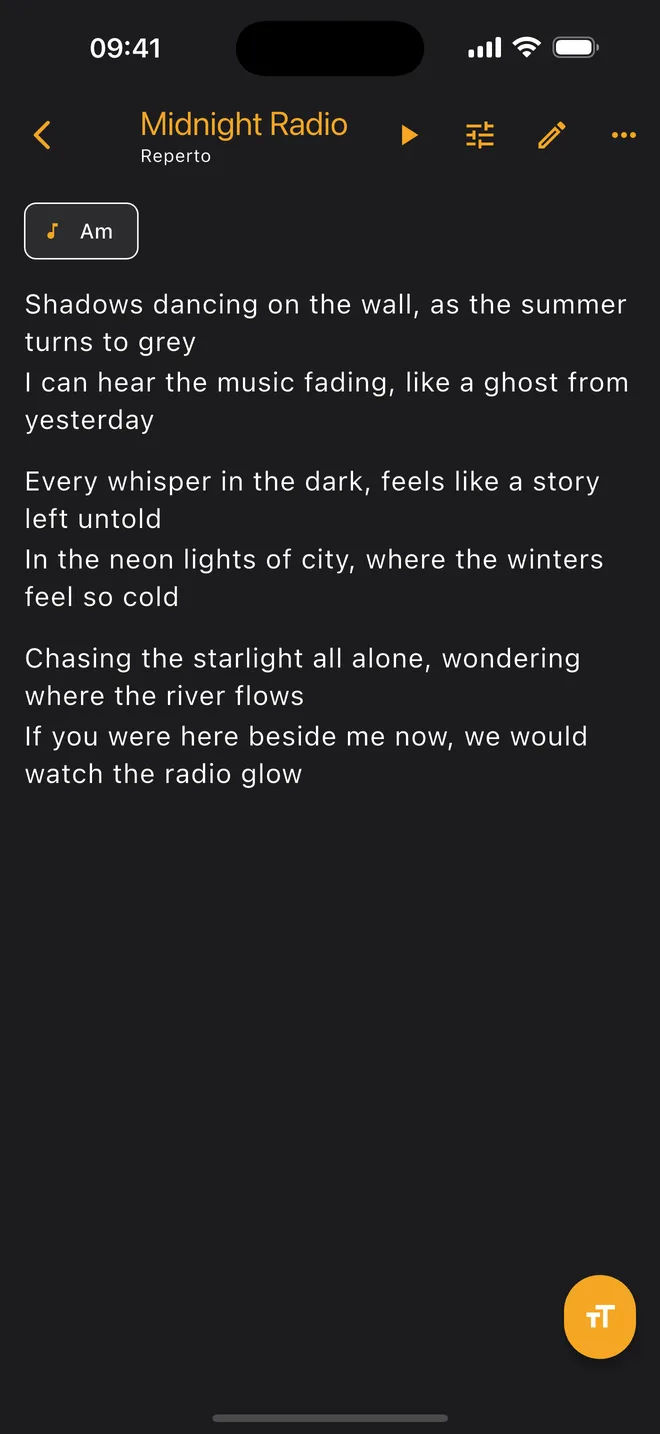
Lyrics-only view: chords disappear on the singer's screen and the words get bigger.
Auto-scroll
Keep your hands on the instrument; the page flows by itself at your pace.
Share your own repertoire
Share the songs you wrote and added as a .reperto file with your band. You can add your own sheet-music PDFs to your library too.
Stage-ready themes
Dark and pure-black (AMOLED) themes are easy on the eyes under stage lights and on the battery.
LOCAL-FIRST
Your data stays on your device.
Reperto is serverless: no accounts, no cloud, no tracking. Your songs live only on your device; when you want to share, you share a file — on your terms.
- No account or subscription required
- Songs are stored on-device, never uploaded
- No ads at all — and no analytics or ad tracking
- Sharing is fully under your control (.reperto file)
- Full backup & restore: switch phones without losing anything
FAQ
Frequently asked questions
Does Reperto work without internet?+
Yes. Reperto is local-first: all your songs are stored on your device, and stage sync runs over a local Wi-Fi network or Bluetooth with no internet at all.
Which devices does it run on? Is there a desktop version?+
iOS 15 and later on iPhone and iPad, Android 7.0 and later on phones and tablets. On a large screen the layout opens up for tablets, so lyrics and chords get room to breathe. There is no desktop (macOS/Windows) version yet — it's on the roadmap, but we're not promising a date. On stage, iOS and Android devices can be mixed freely.
How many devices does stage sync support, and which platforms?+
One Master device leads multiple followers. iOS and Android mix freely; it has been tested on phones and tablets under real stage conditions.
Should I use Bluetooth or Wi-Fi?+
If you have a shared Wi-Fi network or a hotspot, pick Wi-Fi: it connects far faster, and on some devices Bluetooth can delay packets by a few seconds. With no shared network, Bluetooth is the only option — and it is the sturdier one when the leader's screen locks.
Does Bluetooth behave the same on every device?+
No — and we would rather say so plainly. Bluetooth behaviour varies by phone brand, model and OS version. On some devices the link periodically drops into a low-power mode and delays packets by a few seconds. If the leader's Bluetooth is switched off and on after the stage is running, the app detects it and usually repairs the broadcast on its own within a second or two — nothing to do on your end. If that repair rarely fails, the top bar turns red and tells you to fully close and reopen the app; that's the only fix at that point. So: if you have a shared Wi-Fi network or a hotspot, prefer Wi-Fi.
Does everything sync on stage, or can I keep my own settings?+
The band stays on the same page: the active song, the position in the queue and the key (transpose) go from the leader to everyone. The rest of your screen is yours — capo, text size, instrument, lyrics-only mode and scroll speed are personal and are never sent. That split is deliberate: the band plays in the same key, but the capo is each player's own choice, and a bass player doesn't use one.
Can I use a Bluetooth page-turner pedal or keyboard?+
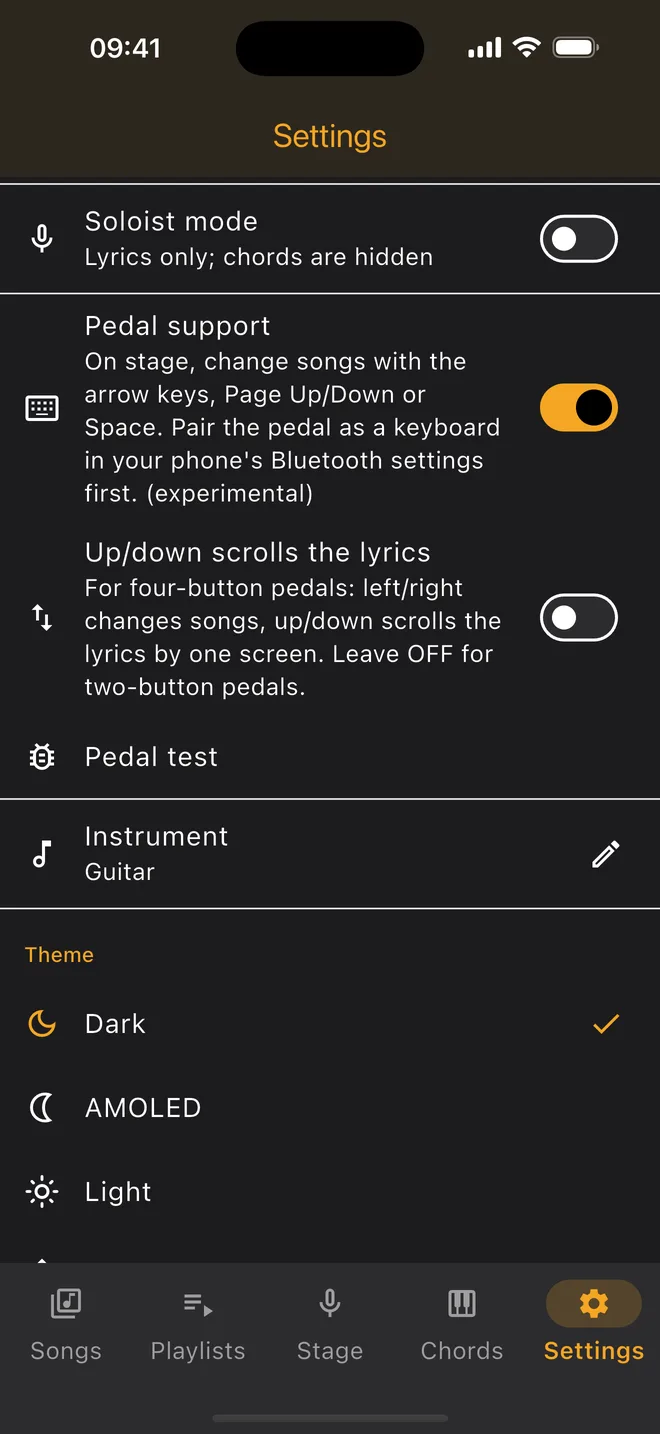
Yes. Page-turner pedals that pair as a Bluetooth keyboard (AirTurn, iRig BlueTurn and the like) are supported: the arrow keys, Page Up/Down or Space change songs on stage, so your hands stay on the instrument. Pedal input is OFF by default — so a stray keypress can't change the song mid-set; turn it on under Settings → Pedal support. If you have a four-switch pedal, there's an extra option that maps up/down to scrolling the lyrics. Because key mappings differ from brand to brand, the feature is marked “experimental” in Settings: try it once with your own pedal before you go on stage.
Does the app come with a library of songs?+
No, and that's on purpose. Reperto doesn't distribute copyrighted lyrics or chords; there's no built-in song pool and no search that scrapes other sites. You build your own library: paste text, import a ChordPro/OnSong file or a PDF chart, or open a page in the in-app browser and select the text you want with your finger. So the library isn't empty on day one, four sample songs we made for this app and one sample setlist are included. Their lyrics were generated with AI — they are not any real artist's work and carry no third-party copyright. They don't count against the free 30-song allowance and can be removed from Settings with a single tap.
Which song formats are supported?+
ChordPro (.cho, .chopro, .pro, .crd), OnSong and plain-text files import; you can also paste text straight in and view PDF charts. A backup from another songbook app usually reads too — the format is recognised from the file's content, not its name. Your own repertoire exports and imports as a .reperto file.
I'm switching from another songbook app — will my songs come across?+
Most likely yes. Export a backup from your old app, then in Reperto tap Settings → Data → “Import (.reperto)” — despite the name the file picker is unfiltered, so another app’s backup can be chosen too: “Pick a file” for a single file, or “Pick a folder” to take everything inside it at once. Reperto recognises the format from the content rather than the file name — zipped songbook backups, foldered .pro/.cho/.txt song files with .lst setlists, ChordPro/OnSong files and PDF charts all read. The key, transpose, capo, tempo and your notes come with each song, and folders become playlists. The free version's 30-song limit applies to imports too.
My backup is in Google Drive — can I import it straight from my phone?+
Simple rule: if you have a single backup file, use “Pick a file”; if your songs sit in folders, use “Pick a folder”. Picking a file works from anywhere on both platforms — Google Drive, iCloud, downloads, it makes no difference. Folder picking has one platform difference: on Android you can select a Google Drive folder directly and bring in every song at once; on iPhone and iPad, Google Drive does not allow folder selection — the “Open” button stays greyed out in the Files screen. That is a limitation between Apple and Google, not something in Reperto. On iOS you have two easy routes: copy the folder to iCloud Drive or to your device and then use “Pick a folder” (iCloud folders work fine), or zip the folder on a computer and import it as a single file with “Pick a file”. Either way, folder names become playlists.
Do I need an account?+
No. There are no accounts, memberships or cloud sync in Reperto; install it and start playing right away.
Are there ads, tracking or analytics? Which permissions does it ask for?+
None of them. Reperto shows no ads, collects no analytics and sends no crash reports or usage data — it has no server and no accounts to send them to. The permissions it asks for exist only for the features you use: the microphone for the tuner, Bluetooth for stage sync and MIDI, and local network access for Wi-Fi sync. Decline one and only that feature stops working; the rest of the app still opens.
How do I back up my songs, and where is the backup file saved?+
Tap Settings → Data → “Export All (.reperto)”. You name the file (leave it blank and the date is used), then your phone's share sheet opens and you decide where the file goes: save it to Files, upload it to your cloud drive, or send it to yourself by email or a messaging app. The backup is a single .reperto file: your songs, setlists, PDF songs and settings (theme, language, instrument, lyrics-only mode, pedal, text size, stage name), along with your saved keys, capo positions, favourites and handwritten notes. Reperto never uploads it anywhere — where the copy lives is entirely your choice. It's a personal backup of your own data; no cloud, not a shared song library. One small detail on iPhone and iPad: iCloud does not appear as an app in the share sheet, because iCloud is a location rather than an app — to put the backup in iCloud Drive, tap “Save to Files” below the row of app icons.
How do I restore a backup or move everything to a new phone?+
Get the backup file onto the new phone (cloud, email, messaging, cable — whatever is easiest), then open Reperto and go to Settings → Data → “Import (.reperto)”. Pick the file wherever it is: Files, downloads, a cloud drive, it makes no difference; choose a folder instead of a single file and every backup inside it is imported at once. If your phone offers to open the .reperto file with Reperto, tapping the file is enough — the import starts on its own. Importing adds, it never deletes: if a different version of the same song is already in your library, the app asks — “Keep mine”, “Use incoming version” or “Keep both”. Your settings come back too, so the new phone opens the way the old one did. The free version's 30-song limit also applies on import; restoring a bigger backup in full needs Pro.
Is Reperto paid?+
The base version is free and includes every feature: stage sync, metronome, tuner, MIDI, PDF, annotations. The only thing Pro unlocks is the song limit — the free version holds 30 songs, Pro has no limit. It is a one-time purchase, with no subscription. There are no ads anywhere in the app.
I bought Pro — does it unlock on my second device too?+
Yes. The purchase belongs to your Apple or Google account: install Reperto on the other device signed in with the same account, tap “Restore Purchases” on the Pro screen, and the limit is gone. The same button is all you need after changing phones or reinstalling the app — you never pay twice. Your songs don't travel with the purchase; move those with a .reperto backup.
Ready to take the stage?
Reperto is now live on both stores — get it from the App Store for your iPhone and iPad, or from Google Play for your Android phone and tablet.
[email protected]